Never Miss a Dividend Announcement Again — Turn On DivTrackr Push Notifications
Picture This
It's a Tuesday afternoon. You're in the middle of a meeting, having lunch, or just going about your day — and your phone buzzes.
"RCECAP has just announced a dividend of RM 0.035 per share. You're expected to receive RM 224."
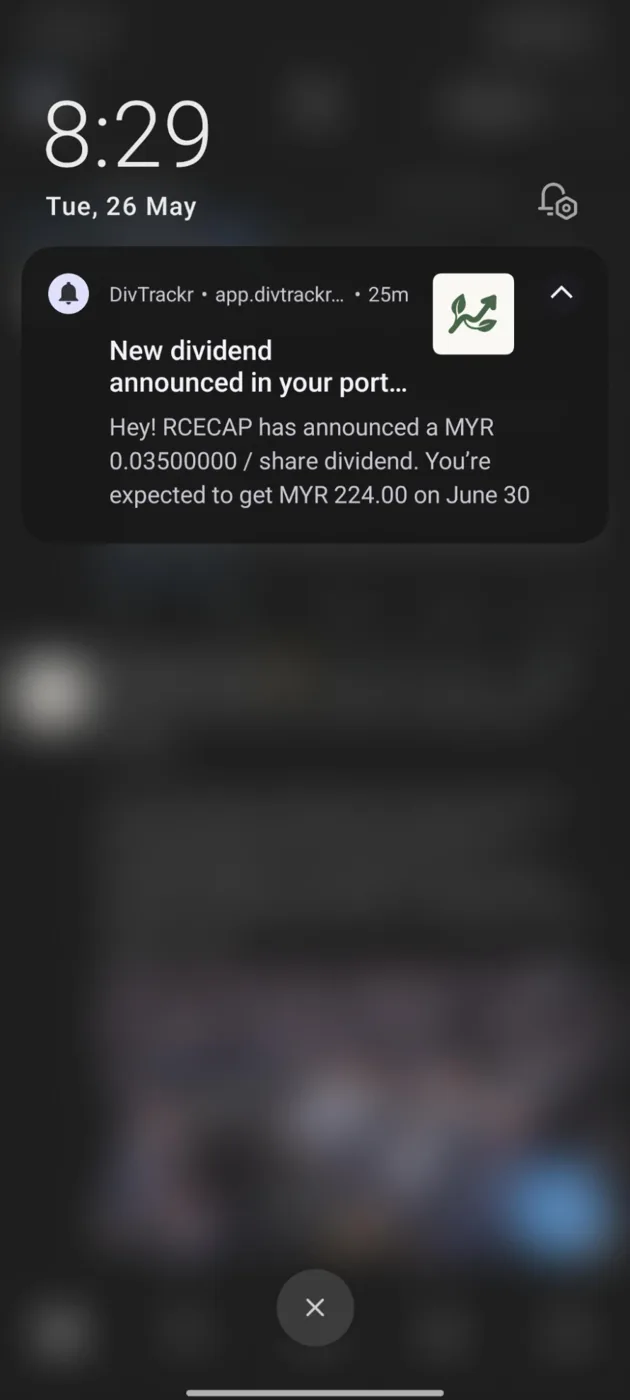
That's it. That's the message.
No hunting through Bursa announcements. No refreshing news feeds. No finding out three days late. Just a quiet little nudge that money is on its way to you.
There's something genuinely satisfying about that moment — even when the amount isn't large. It's a reminder that your portfolio is quietly working for you, even while you're busy doing everything else.
That's what push notifications in DivTrackr feel like.
And right now, yours are turned off.
Why Dividend Announcements Are Time-Sensitive
Most investors treat dividend announcements as pleasant news they stumble across eventually. But there's actually a window between the announcement date and the Ex-Dividend Date — and what you do in that window matters.
When you find out early, you can:
- Decide whether to top up your position before Ex-Date, so you qualify for the upcoming dividend payout
- Plan your cash flow for the coming months, knowing exactly when income is landing
- Simply enjoy the satisfaction of knowing your portfolio is doing its job — while you do yours
Most investors find out late. A Bursa announcement gets buried, a news article surfaces days after, or they only notice during their next manual portfolio check. By then, the window has already narrowed.
You don't have to be that investor.
How to Turn On Push Notifications
It takes 30 seconds.
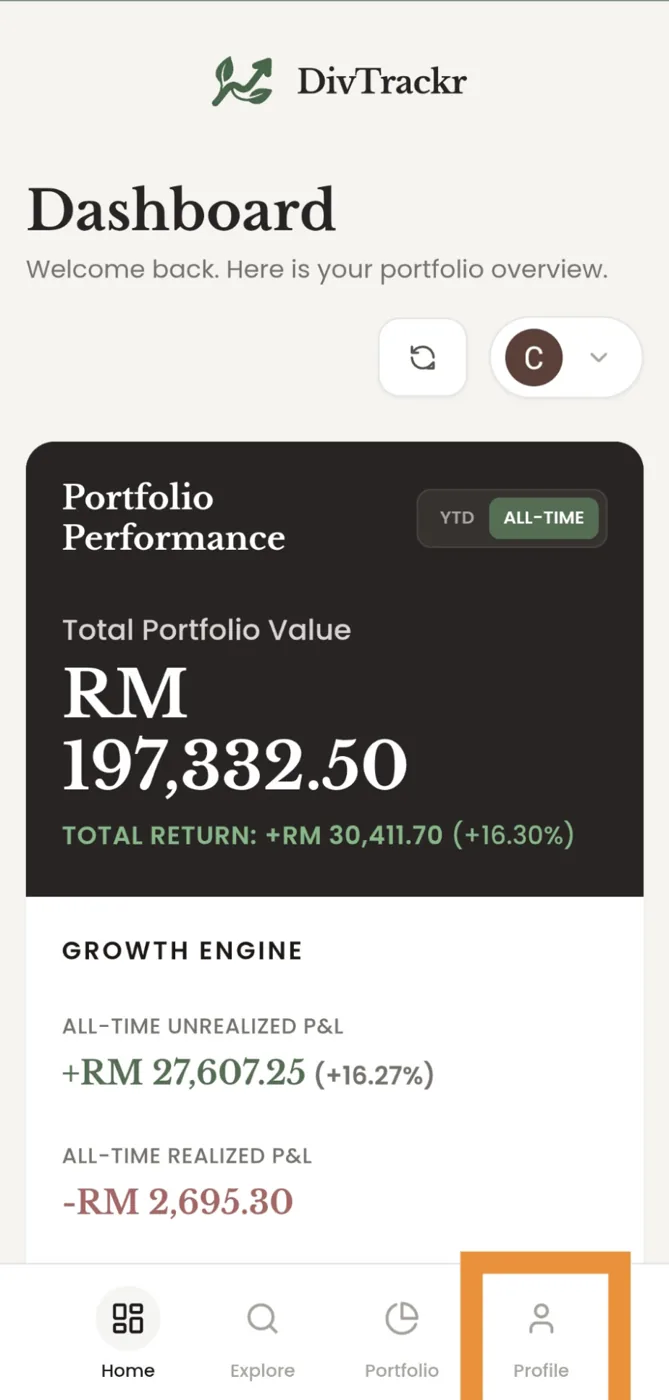
Step 1 — Open DivTrackr and tap "Profile" at the bottom right of your screen.
Step 2 — Scroll to the "App Preferences" section and toggle on "Push Notifications."
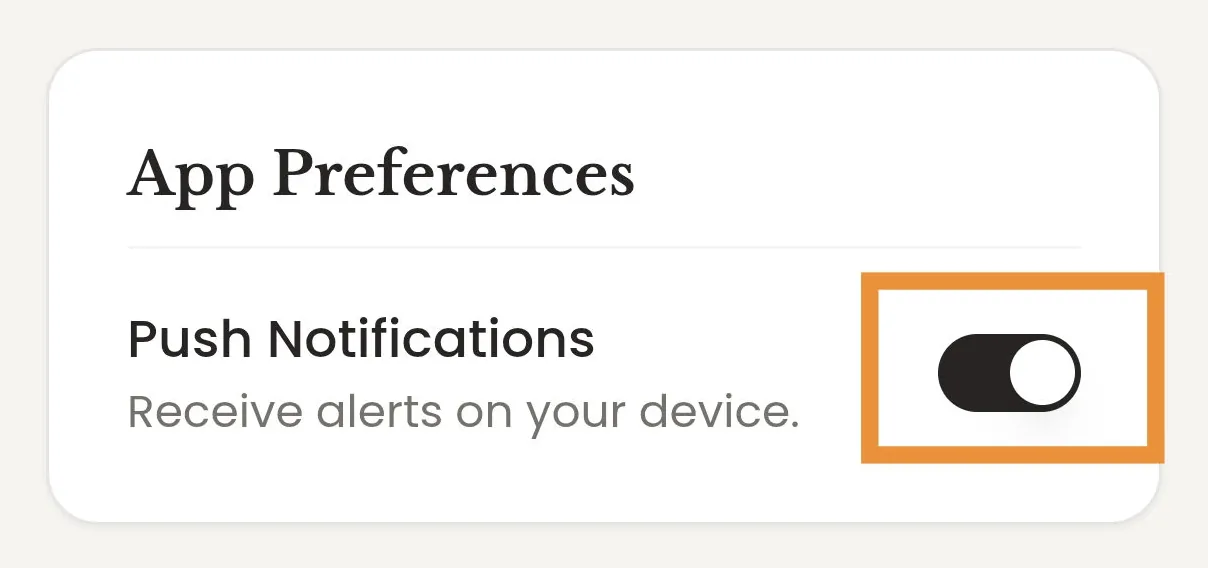
That's it. You're done.
The next time one of your portfolio stocks announces a dividend, you'll know about it immediately — before most other investors even open their Bursa app.
What You'll Be Notified About
Once push notifications are enabled, DivTrackr will alert you when stocks in your portfolio announce a dividend — including the dividend amount per share and your estimated total payout based on your current holdings.
No noise. No irrelevant market updates. Just the announcements that are directly relevant to the stocks you own.
Frequently Asked Questions
Will DivTrackr notify me for all stocks, or only the ones I hold? Only the stocks in your portfolio. DivTrackr knows what you own, so notifications are filtered to be relevant to you — not a generic news feed.
What information does the notification include? The notification shows the stock name, the dividend amount per share announced, and your estimated total payout based on your holdings.
Does this work if I've added DivTrackr to my home screen? Yes — and it works best that way. If you haven't added DivTrackr to your home screen yet, see our guide here. A home screen install ensures notifications are delivered reliably.
Can I turn notifications off again later? Yes. Go to Profile → App Preferences and toggle Push Notifications off at any time.
Does this work on both Android and iPhone? Yes. Push notifications are supported on both platforms once you've enabled them in App Preferences.
The Feeling of a Portfolio That Works While You Don't
Dividend investing is a long game. You pick your stocks, you hold, and you let compounding do its work over years. Most of the time, nothing dramatic happens — and that's exactly the point.
But every dividend announcement is a small confirmation that the strategy is working. A moment where the market pays you, not the other way around.
Push notifications make sure you never miss that moment.
→ Open DivTrackr, go to Profile → App Preferences, and turn it on now.
Happy investing, Neo — Founder, DivTrackr 🌱