How to Check Your Bursa Malaysia Dividend Portfolio in One Tap
When Did You Last Check Your Portfolio?
Be honest — when was the last time you actually checked how your stock portfolio is performing, or how much dividend income you've received this year?
If the answer is "a few days ago" or "I keep forgetting to check" — you're not alone. And it's not because you don't care about your investments.
The real culprit is friction.
Opening a browser, typing in a URL, waiting for a page to load — it's a small thing. But small friction is enough friction that it just doesn't happen. Day after day, your portfolio sits untracked while your dividend income accumulates quietly in the background.
Why Your Portfolio Tracker Belongs on Your Home Screen
DivTrackr tracks your dividend income, unrealised gains, yield-on-cost, and portfolio performance in real time. Your data is always fresh. But if accessing it requires even a little effort, you'll skip it on most days.
When DivTrackr lives on your home screen, that changes completely. Checking your portfolio becomes as natural as checking WhatsApp. You'll be surprised how often you actually want to open it — when it's just one tap away.
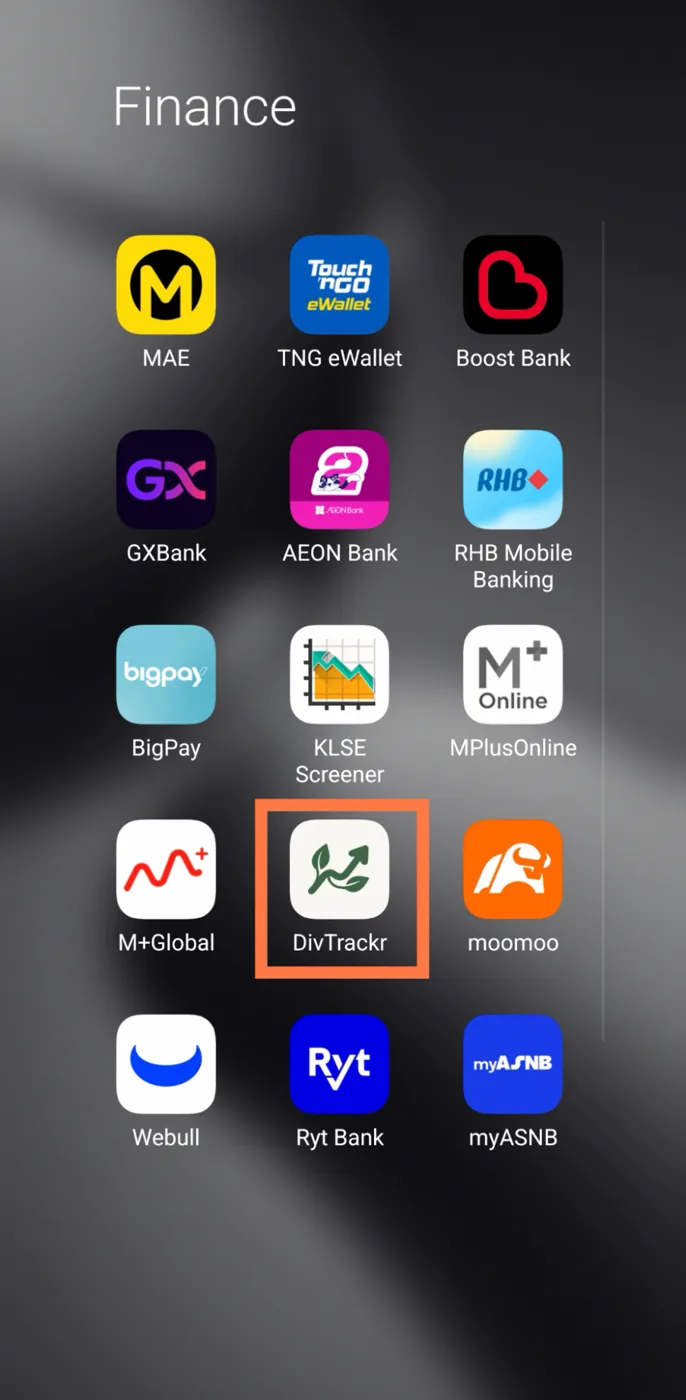
Here's the thing: DivTrackr is a Progressive Web App (PWA). That means you can install it directly from your browser, without visiting the App Store or Google Play. No download approval. No storage bloat. Just a clean icon on your home screen that opens instantly, with no browser bar in sight.
Setup takes under 30 seconds.
How to Add DivTrackr to Your Home Screen
Already saw the install prompt when you first logged in? If you tapped "Add to Home Screen" when DivTrackr first prompted you, you're already set. Just look for the icon on your home screen.
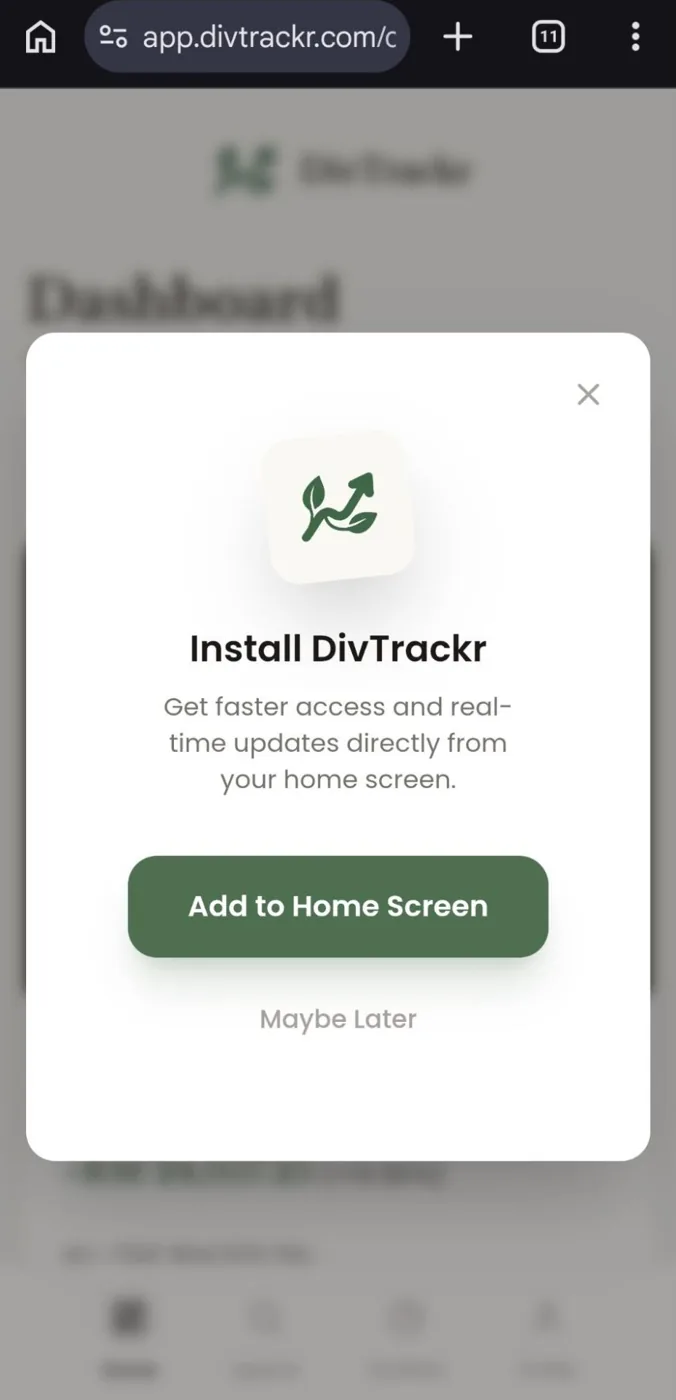
Don’t worry if you miss out this install prompt. You can always add it to the homescreen manually. Check the steps below.
🤖 Android (Chrome)
-
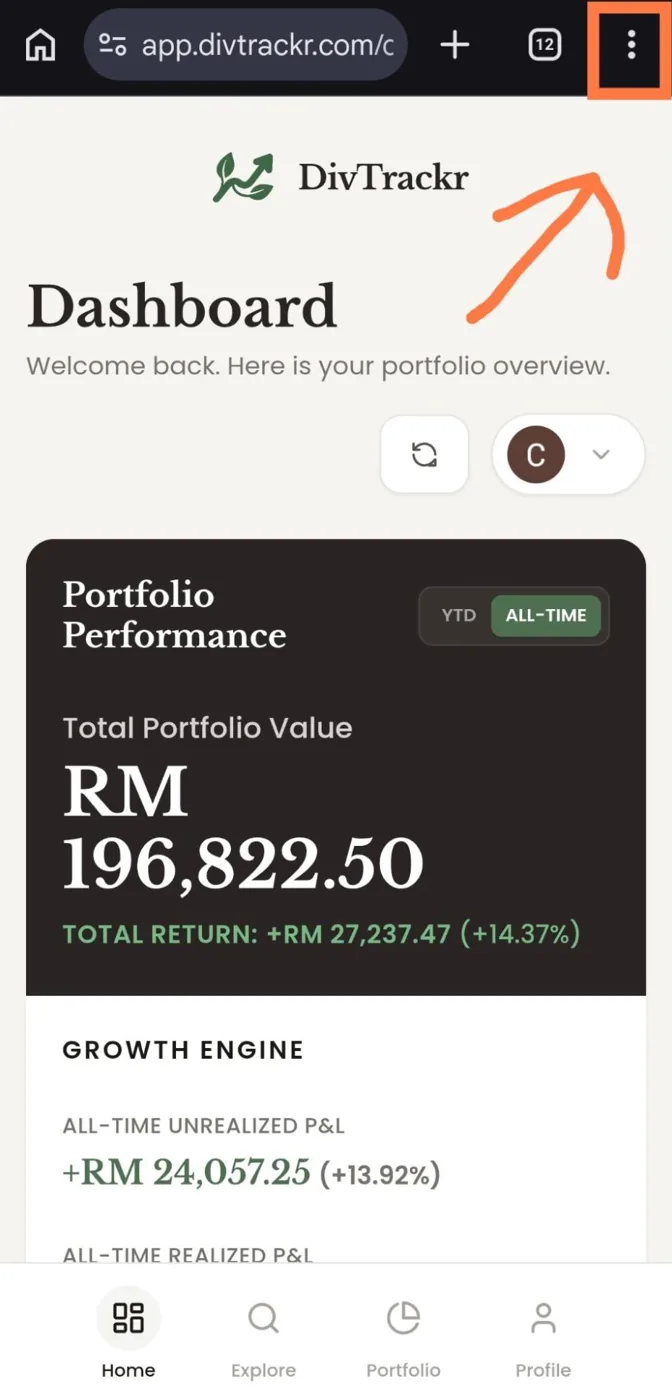
Open app.divtrackr.com in Chrome.
-
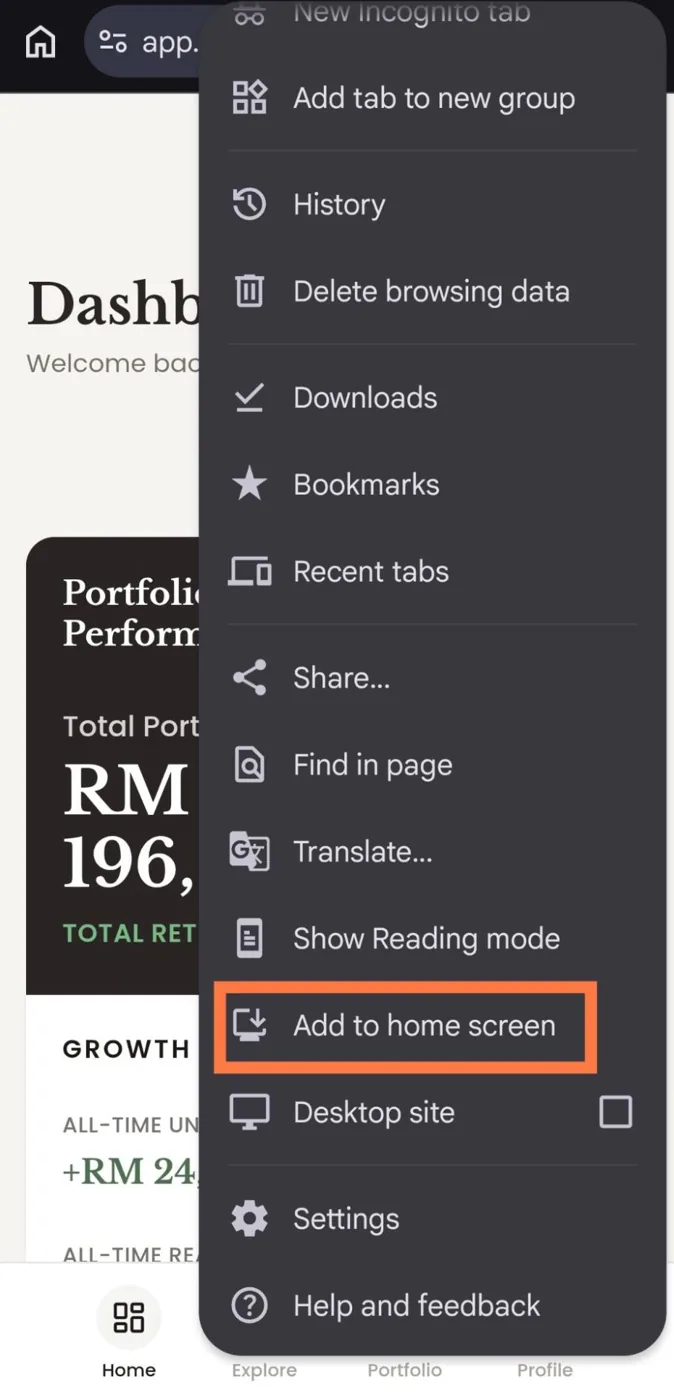
Tap the three dots (⋮) at the top right of your screen.
-
Tap "Add to Home Screen."
-
Tap "Add" to confirm.
Done. The DivTrackr icon will appear on your home screen immediately.
🍎 iPhone (Safari)
-
Open app.divtrackr.com in Safari (must be Safari, not Chrome).
-
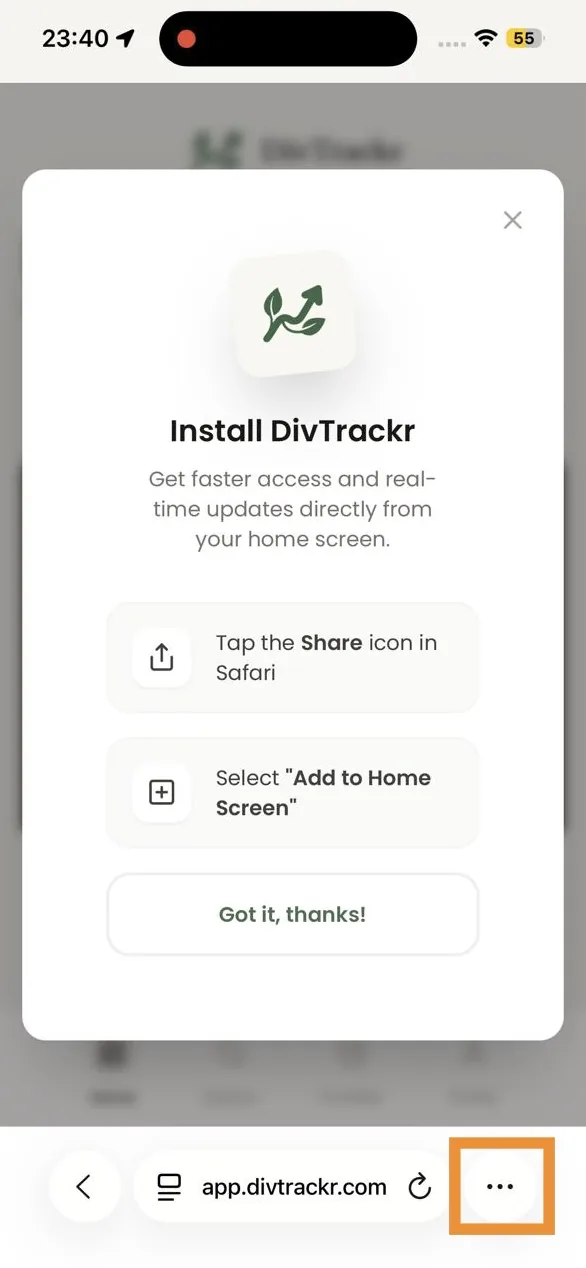
Tap the Share button — the box with an arrow pointing up — at the bottom of your screen, or the three dots.
-
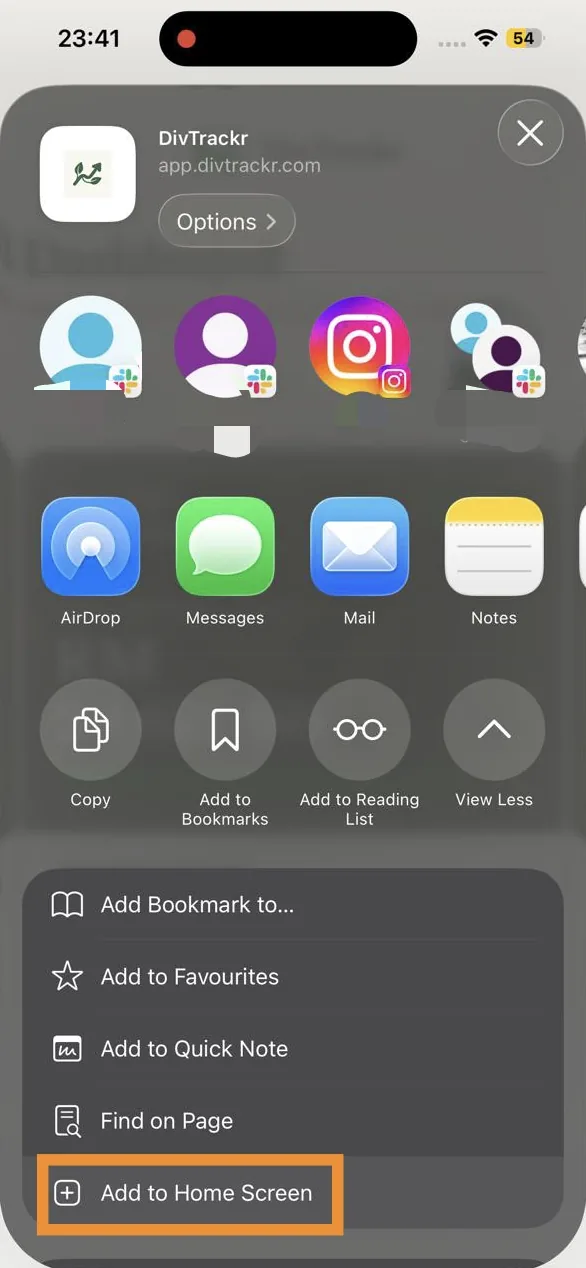
Scroll down and tap "Add to Home Screen."
-
Tap "Add" at the top right.
Done. A DivTrackr icon will appear on your home screen, just like any other app.
What You'll See Every Time You Open It
Once DivTrackr is on your home screen, one tap takes you straight to:
- Your dividend income — total received, broken down by stock, with upcoming payouts in view
- Unrealised gains and losses — how your Bursa Malaysia positions are tracking right now
- Yield-on-cost — your true dividend return based on your original entry price
- Full portfolio performance — your complete picture, always up to date
All of it updates in real time. No refreshing, no manual data entry. Just open and see.
Frequently Asked Questions
What is DivTrackr? DivTrackr is a dividend portfolio tracker built for Bursa Malaysia investors. It tracks your dividend income, unrealised gains, yield-on-cost, and portfolio performance in one place — updated in real time.
Is DivTrackr available on the App Store or Google Play? Yes. You can download DivTrackr from the App Store (iPhone) and Google Play (Android). If you'd rather not install an app, DivTrackr also works as a Progressive Web App (PWA): follow the steps above and it appears on your home screen straight from your browser — no app store, no storage used, no manual updates.
Why do I need Safari on iPhone, not Chrome? Apple only allows the "Add to Home Screen" PWA feature through Safari. If you try from Chrome or another browser on iOS, the option won't appear. Open Safari, follow the steps, and it works perfectly.
Can I track Bursa Malaysia REITs and dividend stocks on DivTrackr? Yes — DivTrackr is built specifically for the Malaysian market. You can track Bursa-listed REITs, dividend stocks, banks, and industrial counters. The platform calculates your dividend income, yield-on-cost, and portfolio performance based on your actual holdings and entry prices.
Is DivTrackr free? DivTrackr has a free tier covering core portfolio tracking. Visit divtrackr.com for the latest plan details.
One Small Habit. One Big Difference.
The investors who get the most out of DivTrackr are the ones who check it regularly — not because they're obsessively watching the market, but because staying close to your portfolio helps you make better decisions at the right moments.
Adding DivTrackr to your home screen is the smallest possible step with the biggest return on habit. Thirty seconds of setup. A tap away, forever.
→ Open app.divtrackr.com and get started.
Happy investing, Neo — Founder, DivTrackr 🌱